Delete Tag
Prerequisite
- Users have editing permissions in the current collaborative space.
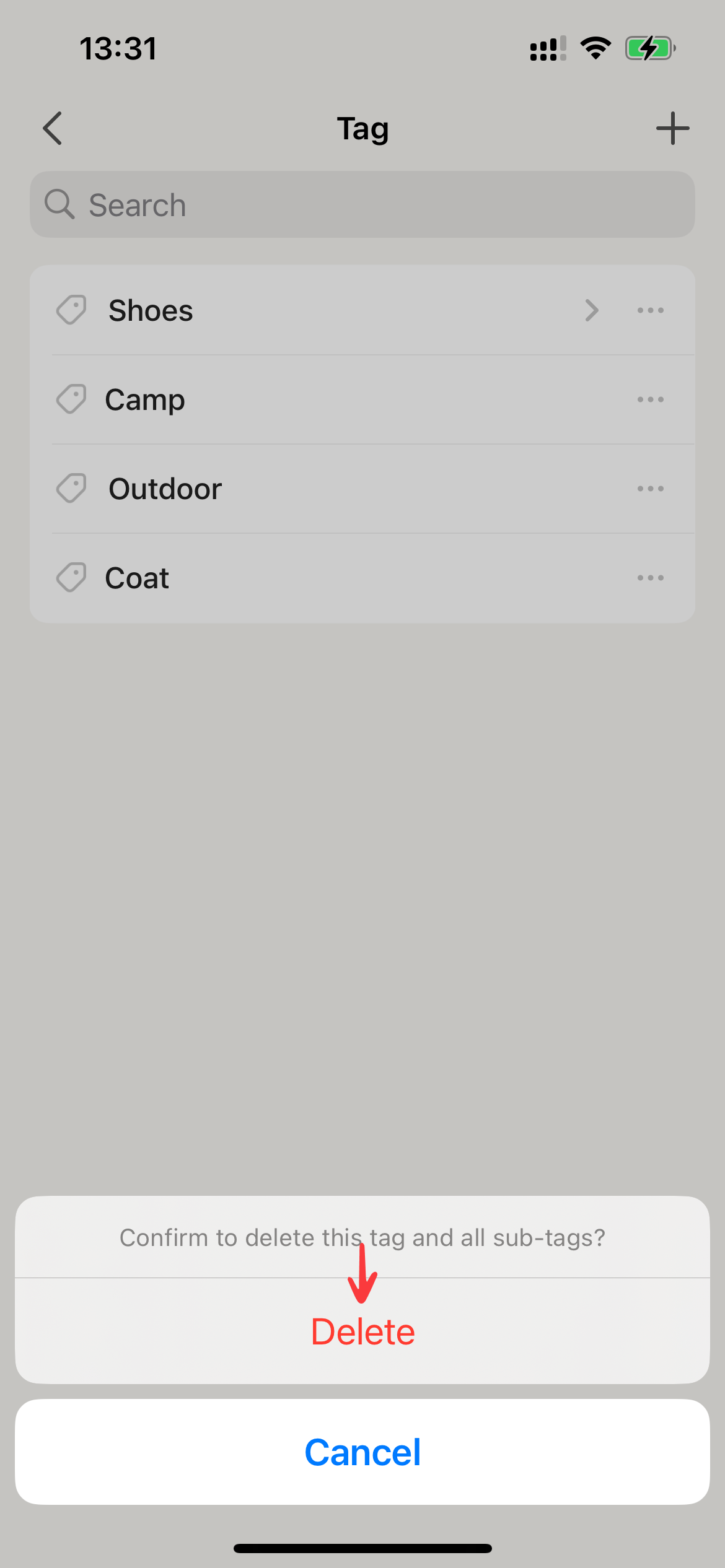
Deleting a tag will remove the tag and all its subtags. If the tag is set Pin tag, the setting will also be removed. However, deleting a tag does not delete the associated items. It only removes the tag and its association with the items.
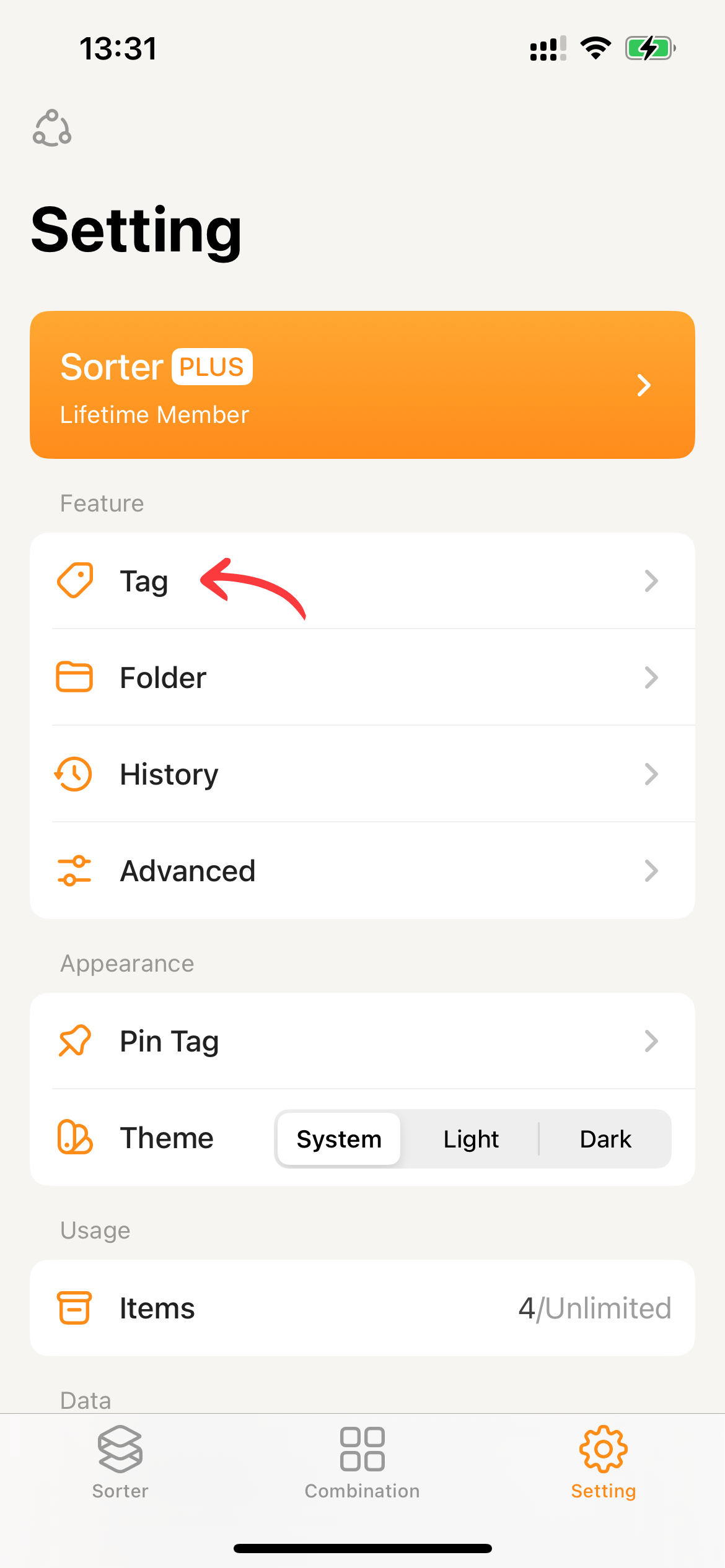
- Go to Settings and click on
Tag.
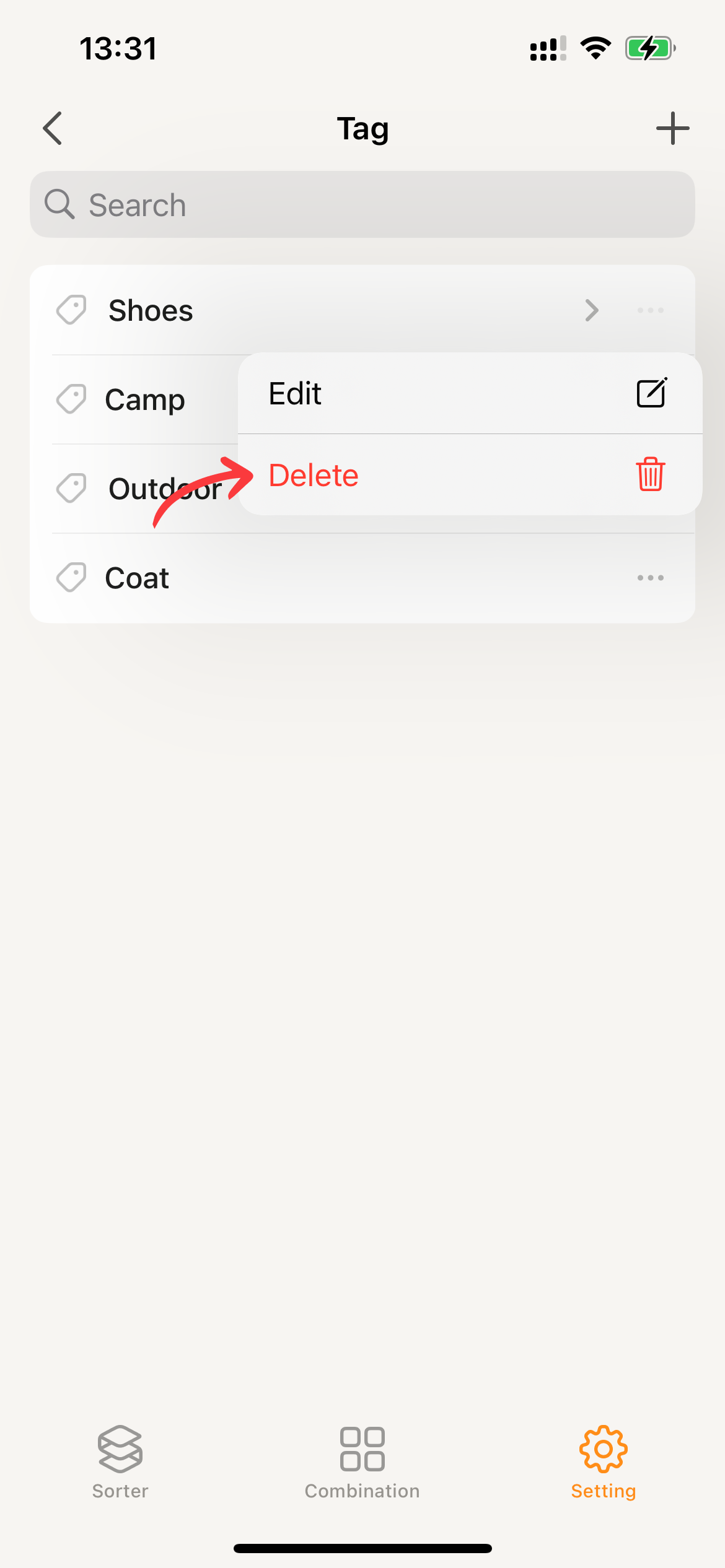
- Clicking the ••• of a tag and selecting
Delete.
- Once you’ve confirmed that you want to delete the tag, click
Deleteagain and Sorter will proceed with the tag removal process.